Cognitive Offloading Workflow: How to Eliminate Mental Anxiety and Decision Fatigue with an "External Brain"
Cognitive Offloading Workflow: How to Eliminate Mental Anxiety and Decision Fatigue with an "External Brain" Do you often feel anxious when trivial, unhandle…
Verification report
Cognitive Offloading Workflow: How to Eliminate Mental Anxiety and Decision Fatigue with an "External Brain"
Do you often feel anxious when trivial, unhandled tasks suddenly pop into your mind late at night? Or, when facing a complex project, does your brain feel like it’s stuffed with countless unclosed browser tabs, making it impossible to focus enough to take the first step?
This state is known in psychology as Cognitive Overload. Human short-term memory (working memory) has extremely limited capacity. If you try to use your brain to "remember" all to-dos, ideas, and details, it transforms from an efficient "processor" into an inefficient "storage device."
True productivity experts follow one core principle: The brain is for thinking, not for storing.
Core Logic: Cognitive Offloading
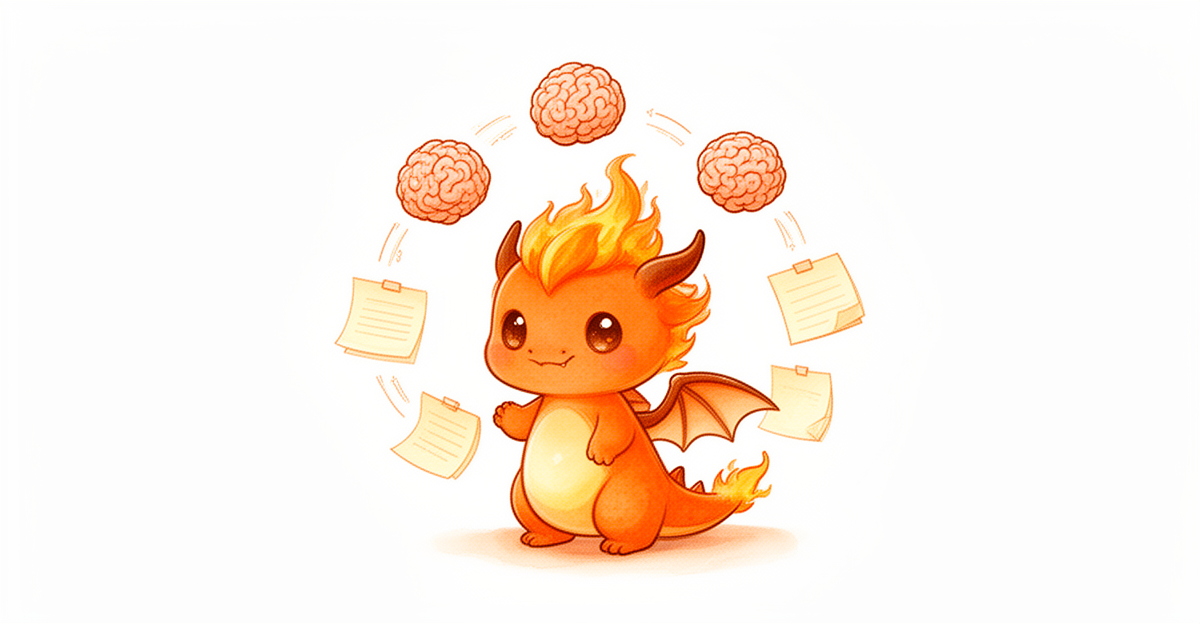
Cognitive offloading is the process of transferring internal mental representations to external physical media. By building a reliable "external brain," you can clear your mental RAM, freeing up all your processing power for deep thinking.
1. Establish a "Zero-Friction" Capture System
The most common reason offloading fails is that the "cost of recording" is too high. If you need to turn on your computer $\rightarrow$ find a folder $\rightarrow$ create a document just to record an idea, your brain will subconsciously choose to "just remember it," thereby continuing to occupy memory space.
Build a Capture Pipeline:
- Instant Capture: Use keyboard shortcuts, voice assistants, or pocket notebooks. The goal: Record the idea within 3 seconds of it appearing.
- Single Inbox: All fragmented information should go into the same "Inbox." Do not attempt to categorize during the recording phase. Categorization belongs to the subsequent "processing" stage, not the "capture" stage.
2. Transition from "Storage" to "Indexing"
Simple recording is not offloading. If you don’t trust that you can retrieve the information later, your brain will subconsciously maintain a memory of it.
Build a Trust Chain:
- Structured Tags: Avoid overly complex folder hierarchies. Use action-based tags instead (e.g., #ToProcess, #Reference, #IdeaBank).
- Searchability: Ensure your tool supports full-text search. Your brain will only truly delete information from its memory when it is confident that typing in a keyword will yield the answer.
3. Regularly Execute "Memory Cleanup" (The Weekly Review)
An external brain without maintenance becomes a massive digital junkyard. You need a periodic cleanup mechanism to transform fragments into knowledge.
- Empty the Inbox: Triage all fragmented information captured during the week: Discard the useless $\rightarrow$ Execute the simple $\rightarrow$ Convert into project tasks $\rightarrow$ Archive to the knowledge base.
- Sync with Calendar: Move confirmed tasks from your note-taking app into time blocks on your calendar.
Practical Checklist: Building Your External Brain
- [ ] Choose Your Tool Stack: One quick-capture tool (e.g., Apple Notes/Obsidian/Notion) + one time-management tool (Calendar).
- [ ] Set Up Quick Access: Place a note-taking shortcut on your phone's home screen, or configure automation commands (e.g., Siri "Record Idea").
- [ ] Execute a Full Dump: Spend 60 minutes writing down everything worrying you, everything you plan to do, everything you want to do, and everything you remember, until you feel a physical sense of "lightness."
- [ ] Set a Cleanup Alarm: Every Sunday at 8 PM, perform the inbox-emptying ritual.
Gotchas & Precautions (Pitfall Guide)
- Beware the "Collector's Trap": Many people mistake "saving articles" for "cognitive offloading." Saving without processing is called "digital hoarding." It not only fails to reduce burden but also increases potential anxiety caused by an excess of unfinished tasks (the Zeigarnik Effect).
- Don't Chase a Perfect System: Don't spend a week researching Notion database architectures without recording a single piece of actual information. The system's purpose is to serve offloading, not to become another task that requires maintenance.
- Distinguish Between "Memory" and "Indexing": Some core principles need to be internalized as muscle memory (such as programming basics), but the vast majority of details should be left to indexing. Don't try to memorize specific parameter names in API documentation; instead, remember which section of the documentation contains those parameters.
When to Use This Method?
- When you feel stressed, forgetful, or unable to enter a state of focus.
- When you are handling multiple cross-disciplinary projects with huge amounts of information.
- When you find yourself repeatedly agonizing over the same problem without making progress.
When NOT to Use This Method?
- In scenarios requiring extremely high immediate responsiveness (such as live speaking or emergency repairs). In these cases, over-reliance on external devices increases response latency $\rightarrow$ Instead, internalize key processes into intuitive reactions through prior simulation training.
How to use it
Follow the documented steps in an isolated environment before adopting the skill.
Observed result
The laboratory records reproducible outcomes and keeps unverified claims out of the result.
Pitfalls
Check permissions, inputs, rollback steps and evidence before applying the skill.
Good fit
Use when the environment and evidence match the conditions described in this report.
Not a fit
Do not use when required evidence, isolation or rollback controls are unavailable.